 minute read
Enroll in MDM
NOTE:
The Workflow actions available to you depend on the Workflow model you select, the MDM system you use, and the OS of your devices.
After you create an MDM integration in Admin, you can add it to a Workflow using the "Enroll in MDM" action.
-
In the MAM console, go to Workflows.
-
Create a new Workflow, or edit an existing Workflow.
-
Click Add an action > Enroll / Perform MDM Command.
-
Select the MDM you created earlier.
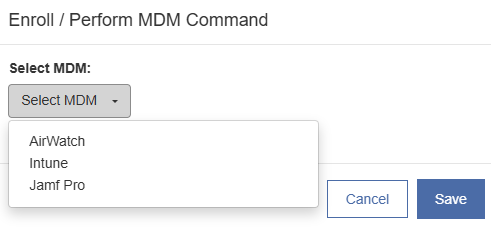
For the following MDM providers, Mobile Access Management can perform additional tasks. When you add API credentials, MAM will interact with your MDM before and after each deployment.


