Role based menu
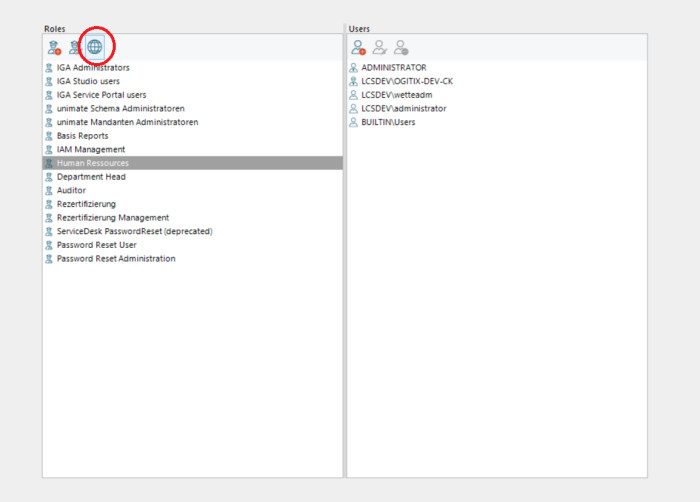
To provide your employees with defined tabs with gadgets, use the uni Studio and click Administration > Users and roles.All roles available in the system appear in the left-hand column. Double-click on the role to open a configuration dialog.
In the Service Portal area of the configuration dialog, you can view the gadgets.
If you activate the checkbox in the display column, the members of the role receive the authorization to add the respective gadget to your Service Portal.
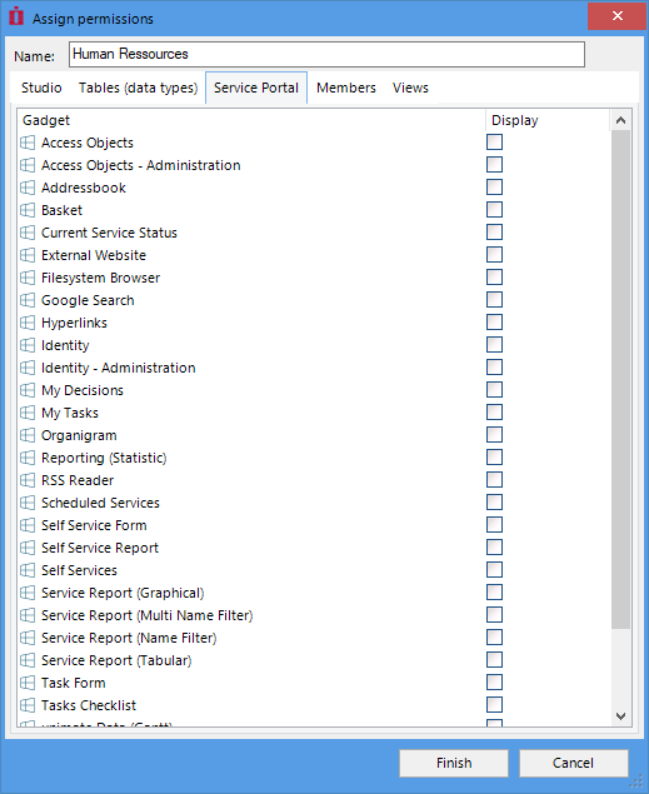
This is the authorization to add new gadgets. If you have configured a menu with gadgets for your employees, these are displayed even if the user does not have permission to add them.
Click on the role to be edited and then on the globe to access the configuration view of the menus for this role. In this view, you can add new menus and submenus to the role and edit or remove existing ones.
User and roles


