 minute read
Set Attribute
NOTE:
The Workflow actions available to you depend on the Workflow model you select, the MDM system you use, and the OS of your devices.
This advanced action allows you to set device Attributes after a successful deployment.
The Set Attribute action can be useful for single-use Workflows, copying Launchpad attributes to device attributes, and more.
To add the Set Attribute action to a Workflow:
-
In the MAM console, go to Workflows.
-
Create a new Workflow, or edit an existing Workflow.
-
Click Add an action > Advanced > Set Attribute.
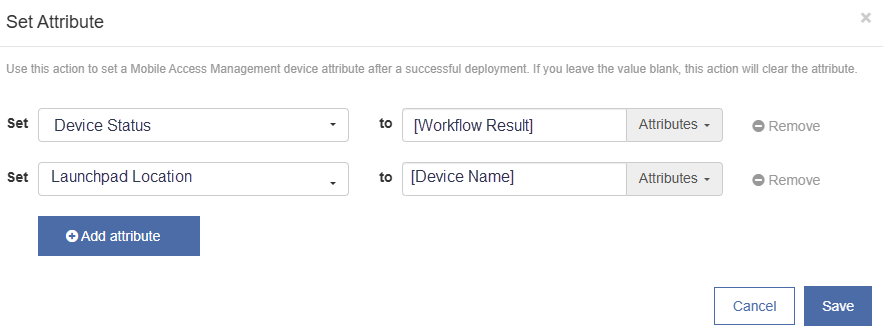
In the dialog, select an item from the Set list, then select the corresponding Attributes from the list.
 NOTE:
Leaving the value blank clears the attribute.


