Remove From Device
NOTE: The Workflow actions available to you depend on the Workflow model you select, the MDM system you use, and the OS of your devices.
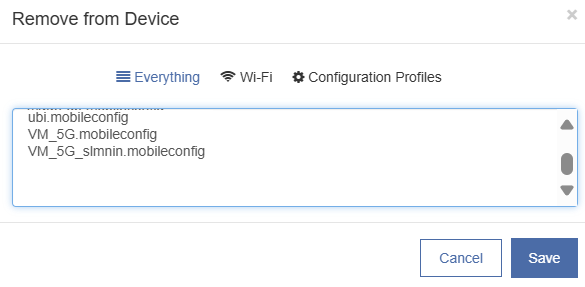
To select configuration profiles or Wi-Fi profiles to be removed from the device when the Workflow is deployed:
-
Select the Remove from Device action.
-
To filter the view of
.mobileconfigfiles, click Wi-Fi or Configuration Profiles. -
To select a configuration file to be removed from the targeted device using this Workflow, click on its name, and click Save.
Click to enlarge
This action will not delete the asset from the Asset library.
To entirely remove an asset from Mobile Access Management, use the Assets page.
NOTE:
At this time, removing MDM profiles through Mobile Access Management is not supported.


