 minute read
Integrate with Cisco ISE
Applies to iOS and Android devices.
Imprivata Mobile Access Management supports the integration with Cisco Identity Services Engine (ISE) to pre-register iOS and Android devices for Wi-Fi.
MAM integrates with Cisco ISE to allow administrators to automate allow-listing mobile devices for secure Wi-Fi networks. MAM can add device MAC addresses to an ISE device group specified in the Register with Cisco ISE Workflow action. MAM communication to the Cisco ISE server originates from the Launchpad running the Workflow action, not from the MAM server in the cloud.
Prerequisites
Take note of the following prerequisites:
-
Enable External RESTful Services (ERS) in the Cisco ISE environment for this integration.
-
In Cisco ISE, create a group to manage the MAM devices.
Take note of the Group Name for later use when configuring the Cisco ISE Workflow action in MAM.
Mobile Access Management Configuration
To configure the Cisco ISE integration in MAM:
-
Go to the Admin > Cisco ISE tab and switch to ON.
- Click Configure.
-
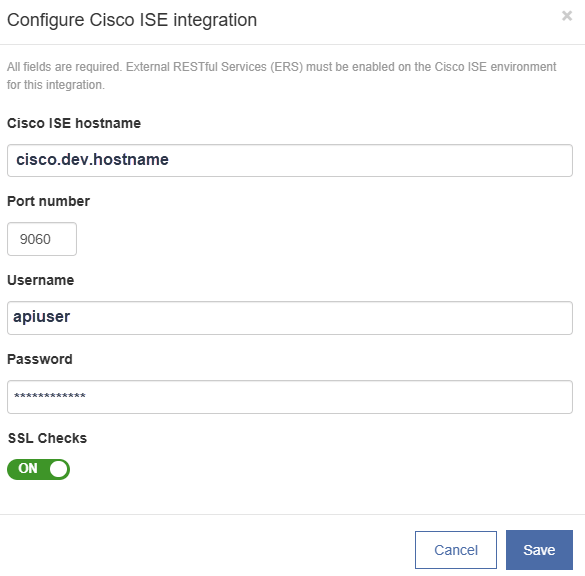
In the Cisco ISE hostname box, type the hostname of the Cisco ISE server.
-
In the Port number box, type the port number for the Cisco ISE server. By default, the port number is 9060.
-
In the Username box, type the username for an admin user for the Cisco ISE server.
-
In the Password box, type the password for the user.
-
By default, SSL checks are enabled.
Click to enlarge
-
Click Test to test the connection between the Launchpad and Cisco ISE.
-
Click Save.
NOTE:If you make changes to the Cisco ISE configuration, you must restart the Launchpads to pick up the changes.
Add a Workflow Action — Register with Cisco ISE
This action allows you to register devices with Cisco ISE. The Workflow action is run at the Launchpad. In case of a multi-phase deployment, it is run in the first phase.

-
Create or edit a Workflow. From the Add an action menu, select Advanced > Register with Cisco ISE.
-
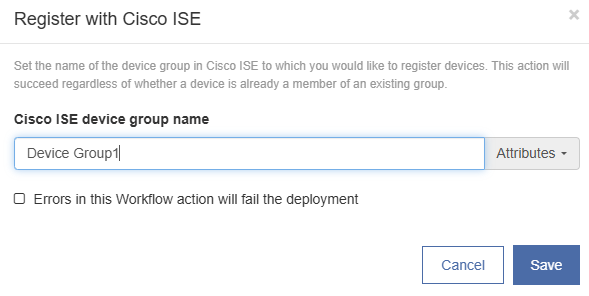
In the Cisco ISE device group name box, type the name of the device group in Cisco ISE to which you would like to register devices.
-
Optional. Click Errors in this Workflow action will fail the deployment. Click Save.
Click to enlarge
-
Deploy the Workflow to your devices.
-
The devices are registered in the specified Cisco ISE device group.


